Writes tags into your MP3s
Not into a database only its own interface can read, but into the files, where every other player and car stereo will find it. Tags the files really carry show in green.
 My Audiobook Collection
You already own the books. This turns the folder on your server into a library you will actually enjoy: covers on the shelf, the right tags in every file, and every listener picking up exactly where they left off.
No account. No cloud. No subscription. Your files never leave your server.
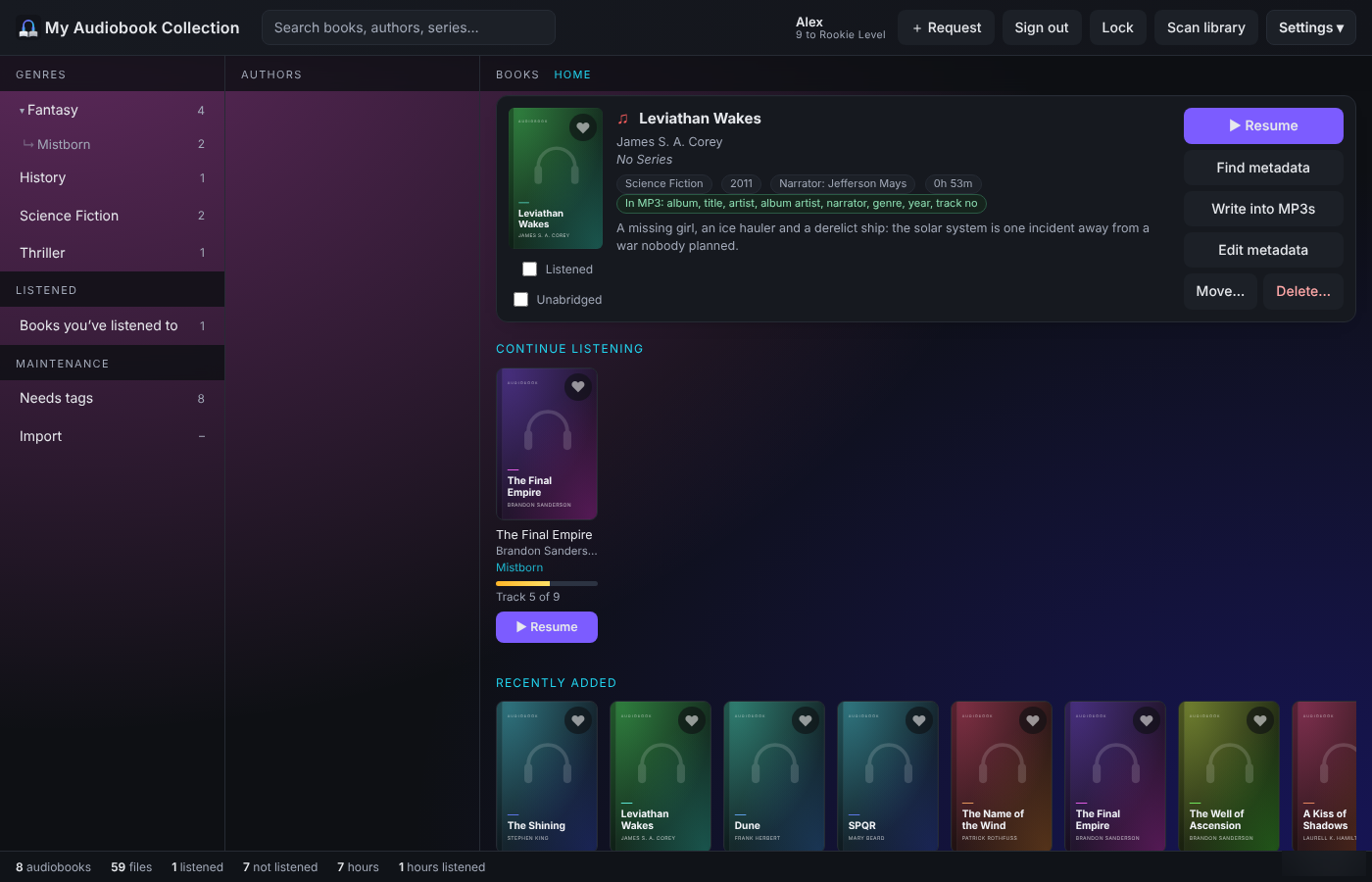
Not into a database only its own interface can read, but into the files, where every other player and car stereo will find it. Tags the files really carry show in green.
One .m4b of thirty chapters becomes thirty named, numbered MP3 tracks. The originals move to a Converted folder until you say otherwise.
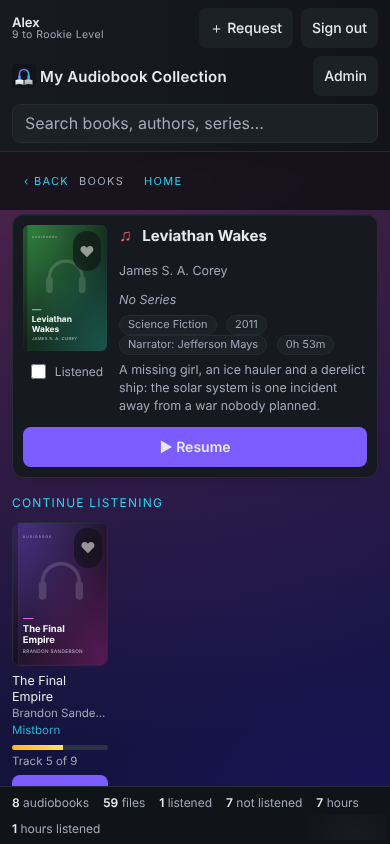
Streams in the browser and keeps the position per listener. A book keeps playing while you move between pages, and the player measures time through the book, not tracks.
A Needs tags list shows every book whose files miss a required tag. Fill the gaps from the Google Books API or by hand, then write them back. Merging leaves frames it does not set untouched.
Read about metadata →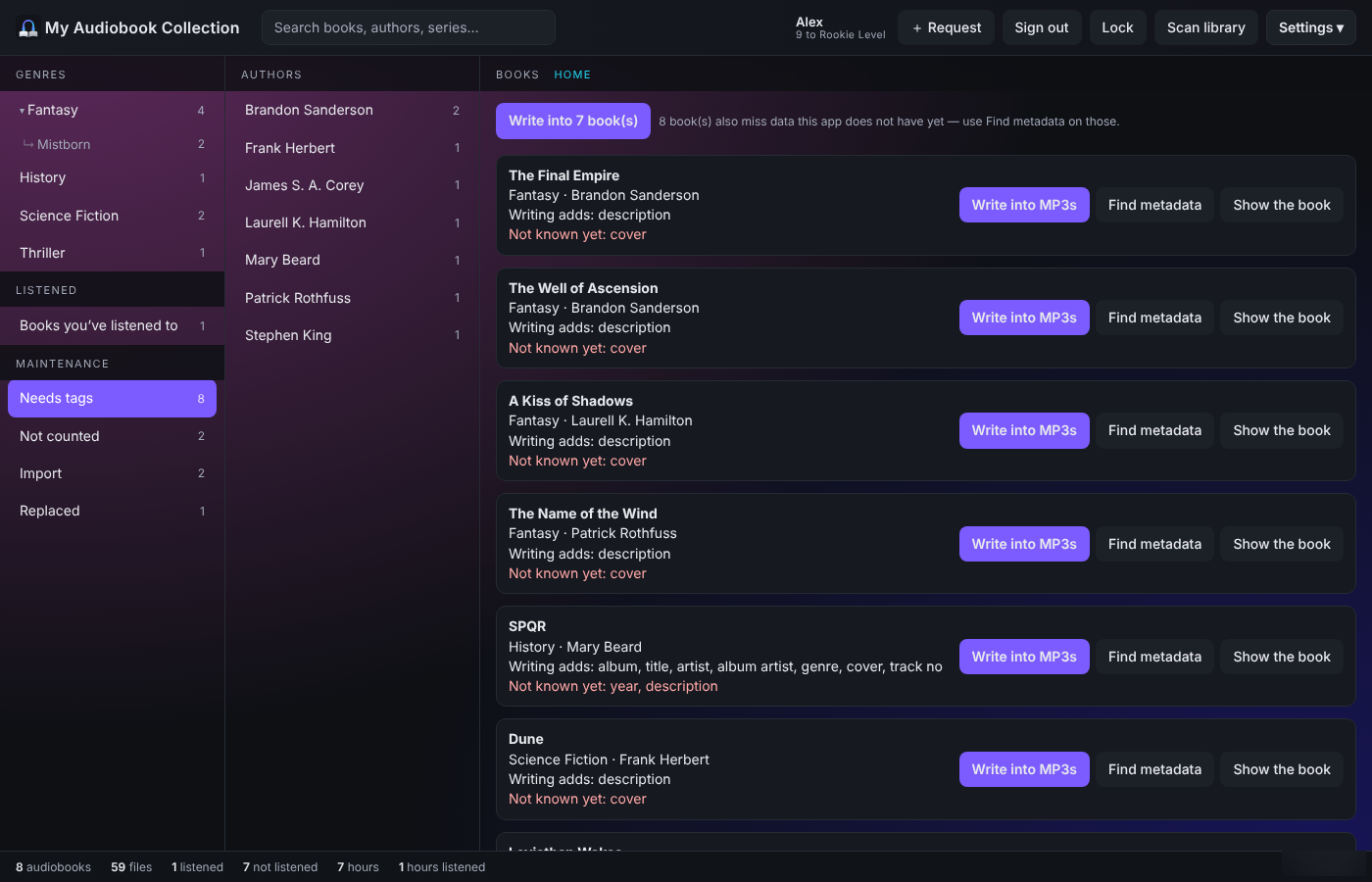
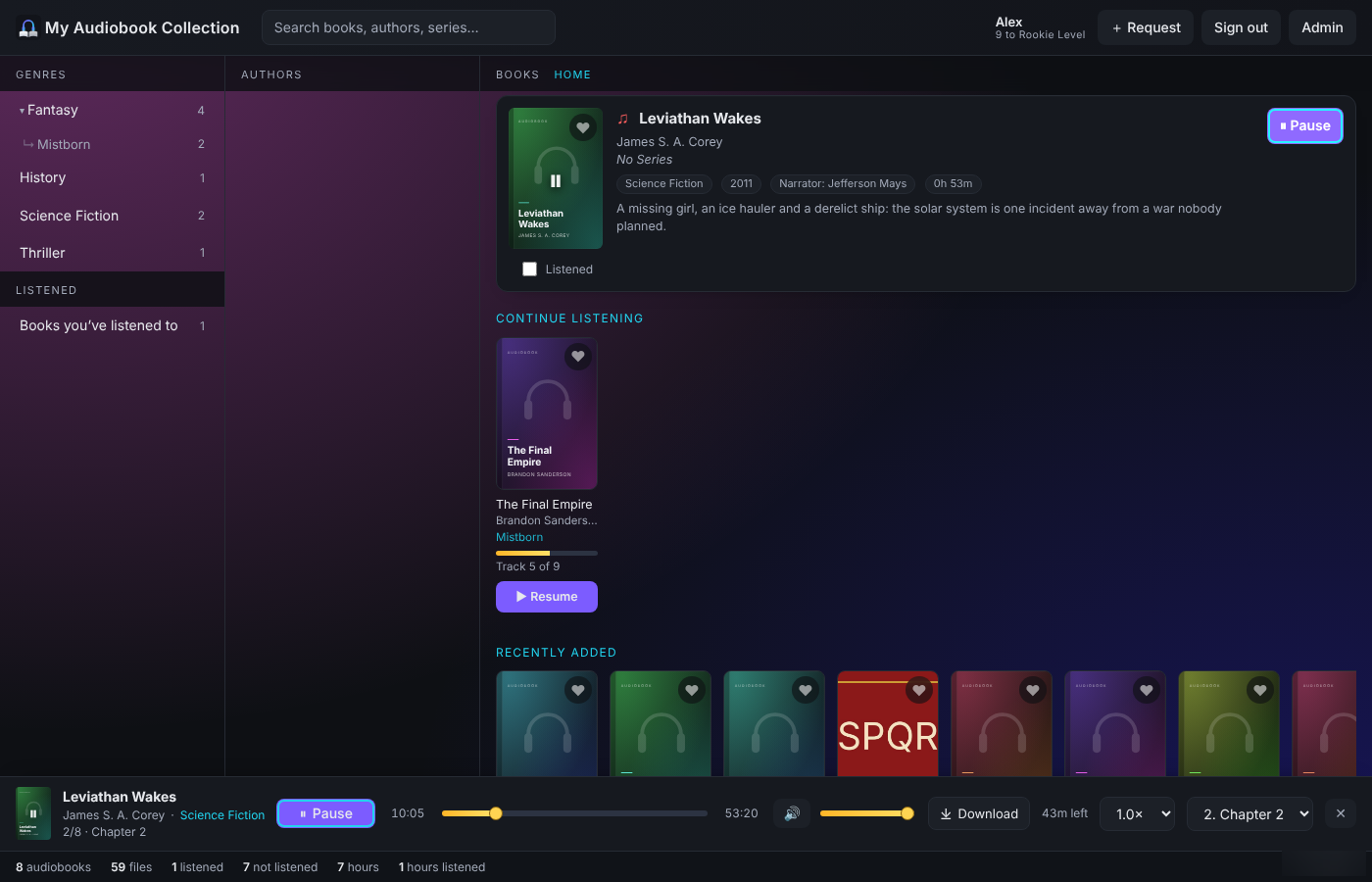
Pick up where you left off, see what arrived last, or search by title, author, series, narrator or a few words from the description. It even says which volume of a series you are missing.
Read about browsing →The cover is a play button. Download a whole book in one archive. On a phone it shows one column at a time, with the player across the bottom.
See the player →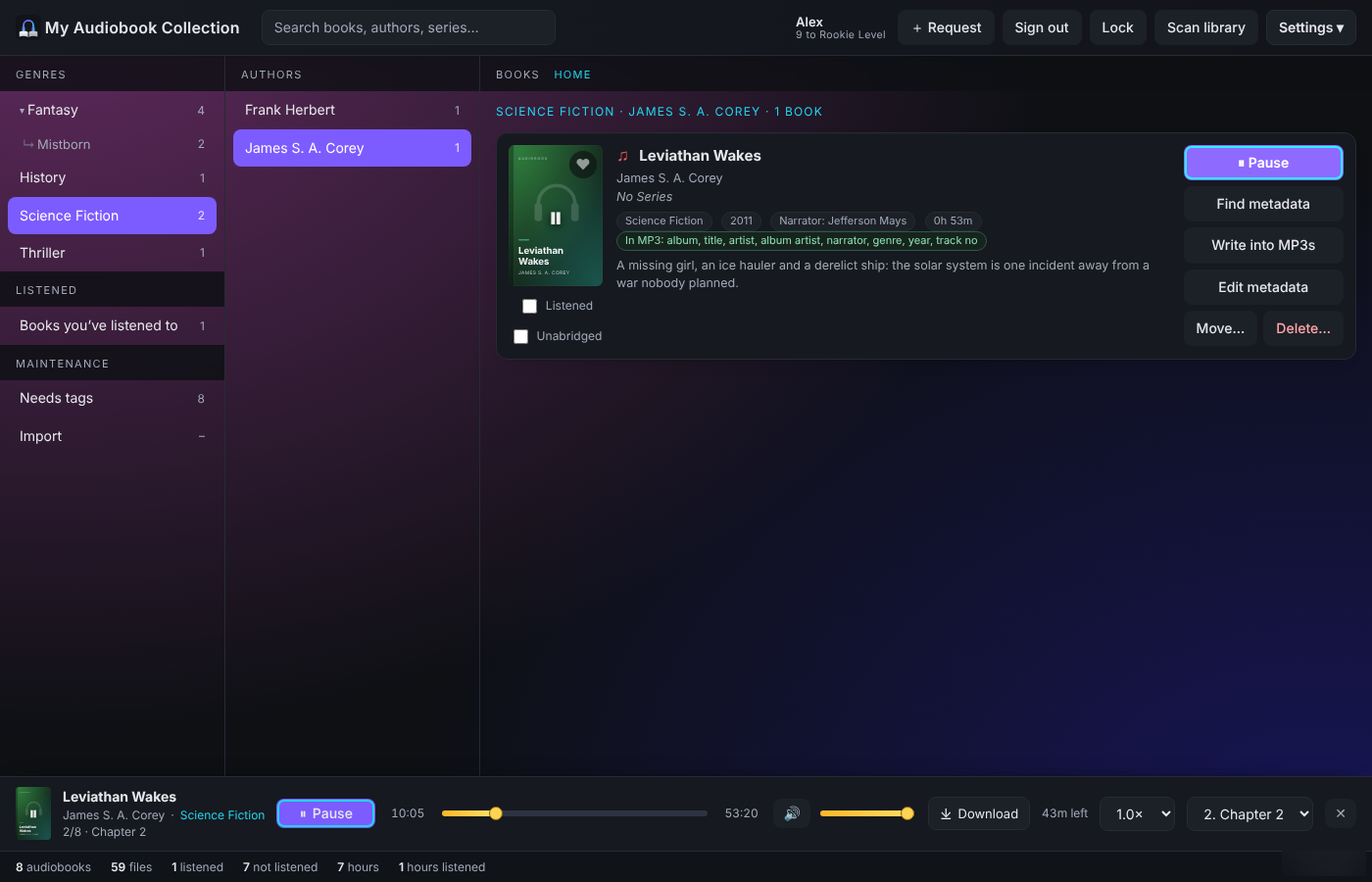
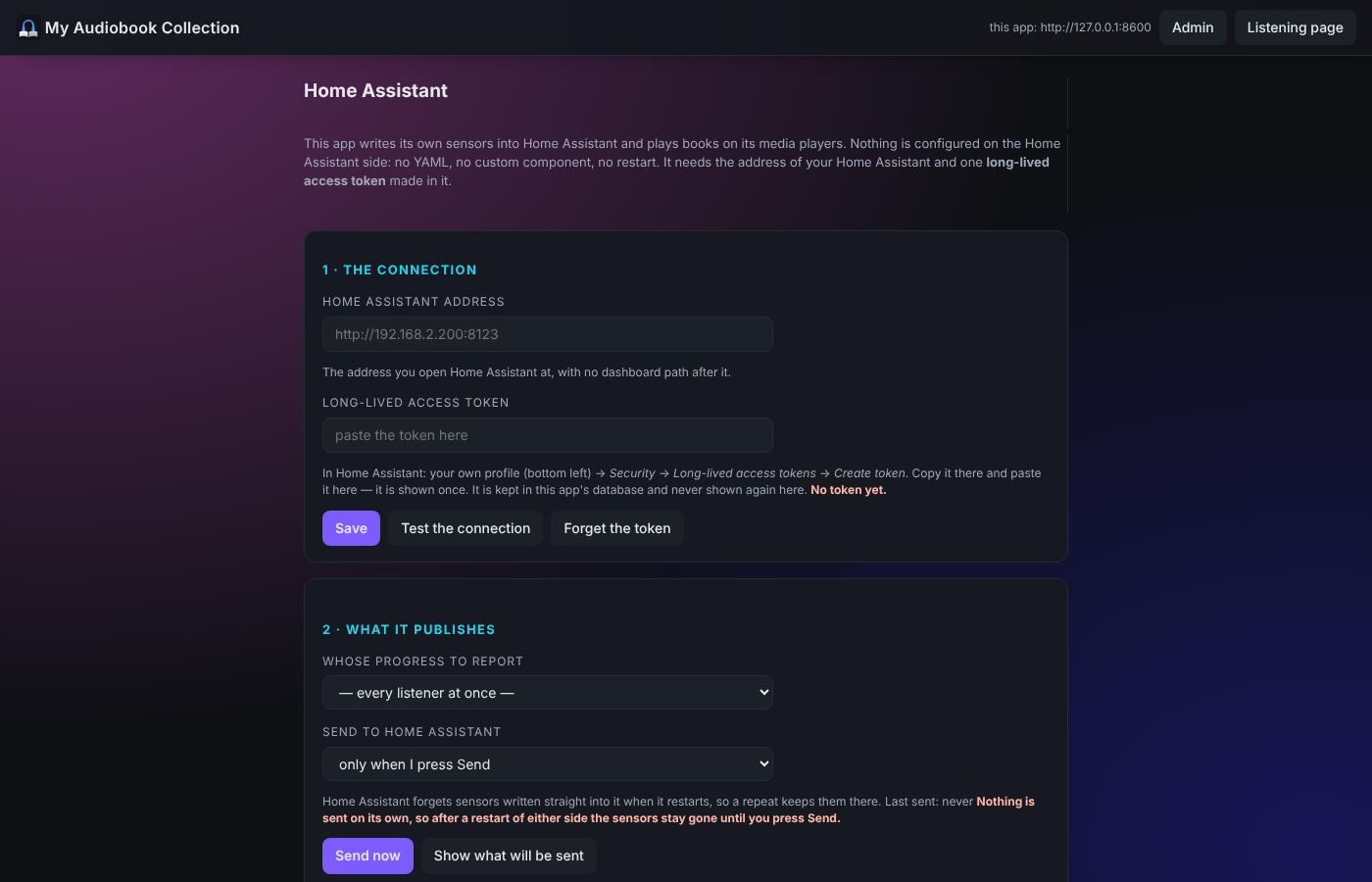
Home Assistant reads the collection and carries a book on to any media player, with a sensor per listener. Music Assistant can treat it as an Audiobookshelf server, and the place syncs both ways.
Genre → Author → Book, with an optional series, and even parts of a series. Disc folders are joined into one book. No renaming required.
How folders are read →/audiobooks
├── Fantasy
│ ├── Brandon Sanderson
│ │ └── Mistborn ← series
│ │ ├── The Final Empire
│ │ └── The Well of Ascension
│ └── Patrick Rothfuss
│ └── The Name of the Wind
└── Thriller
└── Stephen King
└── The Shining
It touches your collection, so it is built not to surprise you.
The image is starf0x/my-audiobook-collection. On Unraid the template fills the whole Add Container form for you. On Proxmox, one command does it all.
cd /boot/config/plugins/dockerMan/templates-user/
wget https://raw.githubusercontent.com/Starf0x/my-audiobook-collection/main/my-My-Audiobook-Collection.xml
| WebUI port | 8523 |
| Appdata | /mnt/user/appdata/… → /data |
| Audiobooks | /mnt/user/Audiobooks → /audiobooks |
| User / group | 99 / 100 (nobody:users) |
| Google Books key | optional, for metadata lookup |
No Docker and no image to pull. It makes a Debian container with node, ffmpeg and the app, and a service that starts at boot. Defaults: 2 cores, 1024 MB RAM, 8 GB disk.
Full Proxmox guide →bash -c "$(curl -fsSL https://raw.githubusercontent.com/Starf0x/my-audiobook-collection/main/ct/my-audiobook-collection.sh)"
pct set <id> -mp0 /host/path/Audiobooks,mp=/audiobooks
pct set <id> -mp1 /host/path/Import,mp=/import
pct reboot <id>
Five minutes from now, you could be pressing play.